
Download Adolix Split and Merge PDF – Split PDF, Merge PDF, PDF Tool, PDF Utility, PDF Editor
Overview
Adolix Split and Merge PDF is a specialized productivity tool designed to simplify the management of PDF documents on desktop platforms. Its primary purpose is to empower users with the ability to split large PDF files into smaller, more manageable sections or combine multiple PDFs into a single cohesive document. This functionality addresses common challenges in document handling, such as sharing specific pages without distributing entire files or consolidating reports, contracts, and presentations into one unified file. The app is particularly beneficial for professionals, students, and administrative staff who regularly work with digital documentation.
Target users include anyone who needs to organize, streamline, or distribute PDF content efficiently. The software is ideal for collaborative projects where only certain sections of a document are relevant to individual team members. It also supports educational workflows, such as preparing study materials or compiling lecture notes. The developer, Adolix, is known for creating utility-focused tools with an emphasis on accessibility and simplicity. Although specific details about the company’s background were not provided, the app’s consistent release history and stable functionality suggest a dedicated development approach.
Real-world use cases include preparing presentation packages, extracting contract clauses for review, or organizing multi-part reports. In the broader app ecosystem, Adolix Split and Merge PDF fills a niche for lightweight, focused PDF utilities—offering a streamlined alternative to full-featured editors. Its presence enhances digital workflow efficiency, particularly for users who prioritize speed and ease over complex editing capabilities.
Key Features & Functionality
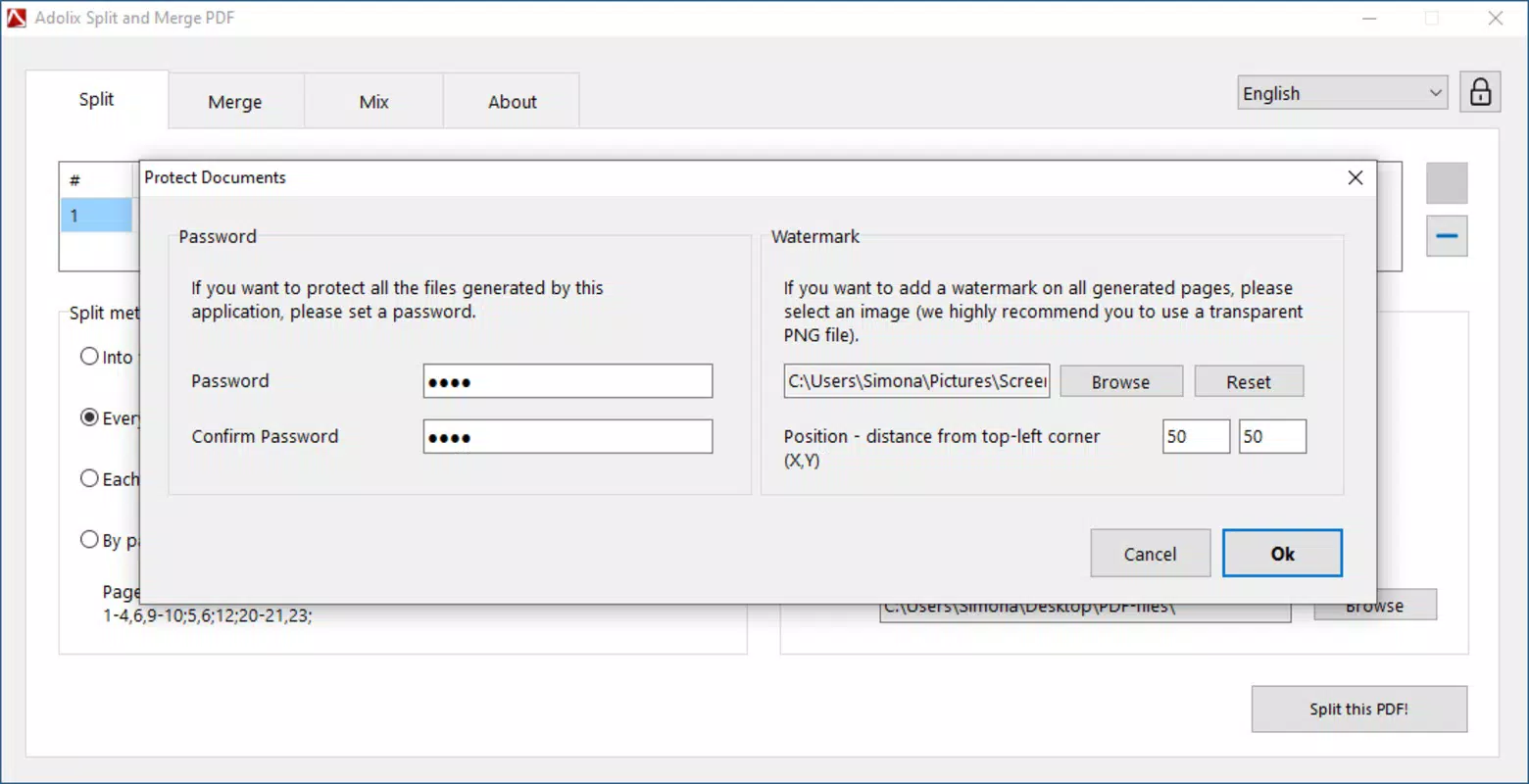
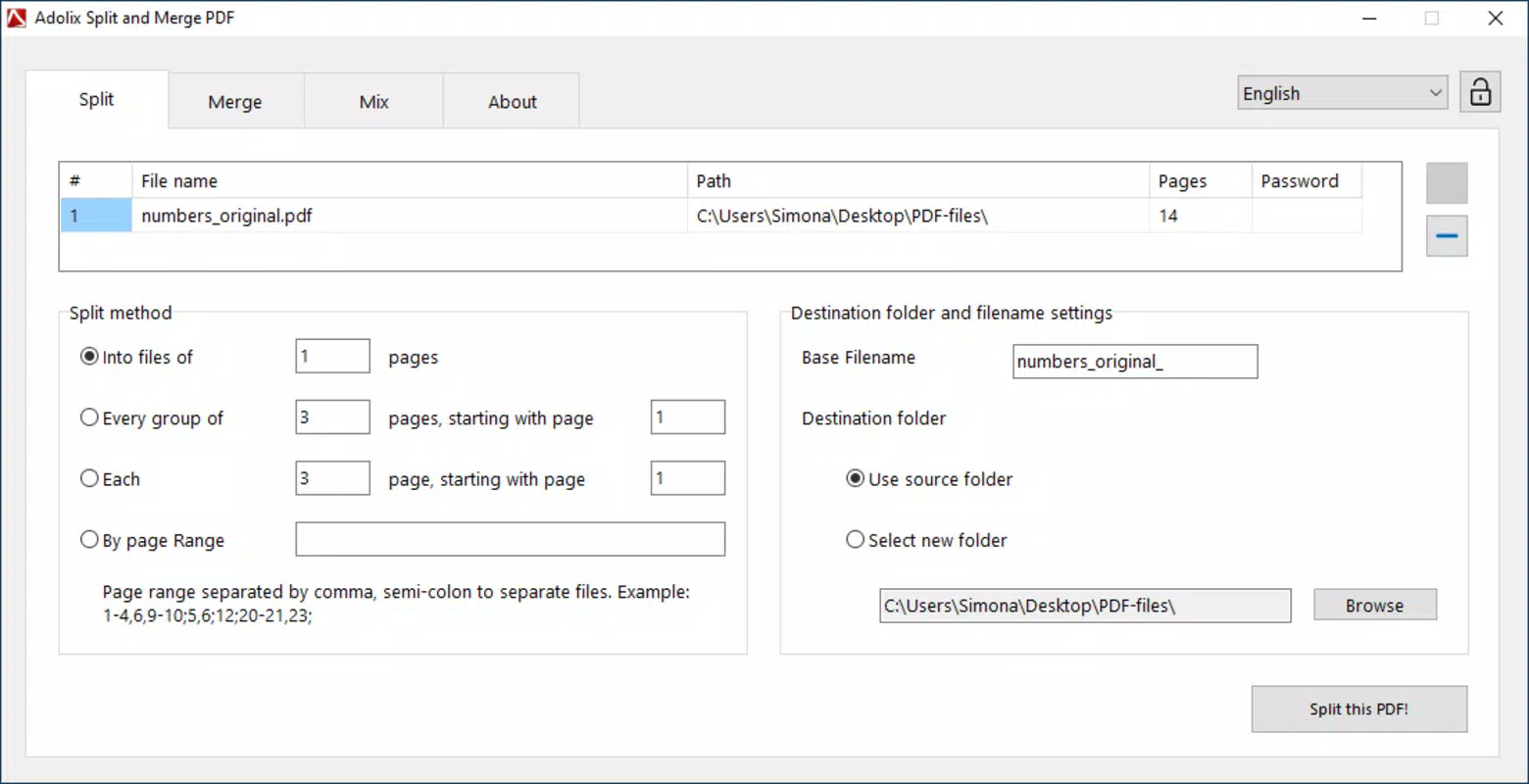
- Split PDFs by Pages or Ranges: Users can divide a single PDF into multiple files, either by selecting individual pages or defining custom page ranges. This is useful when distributing sections of a report to different stakeholders without sharing the entire document.
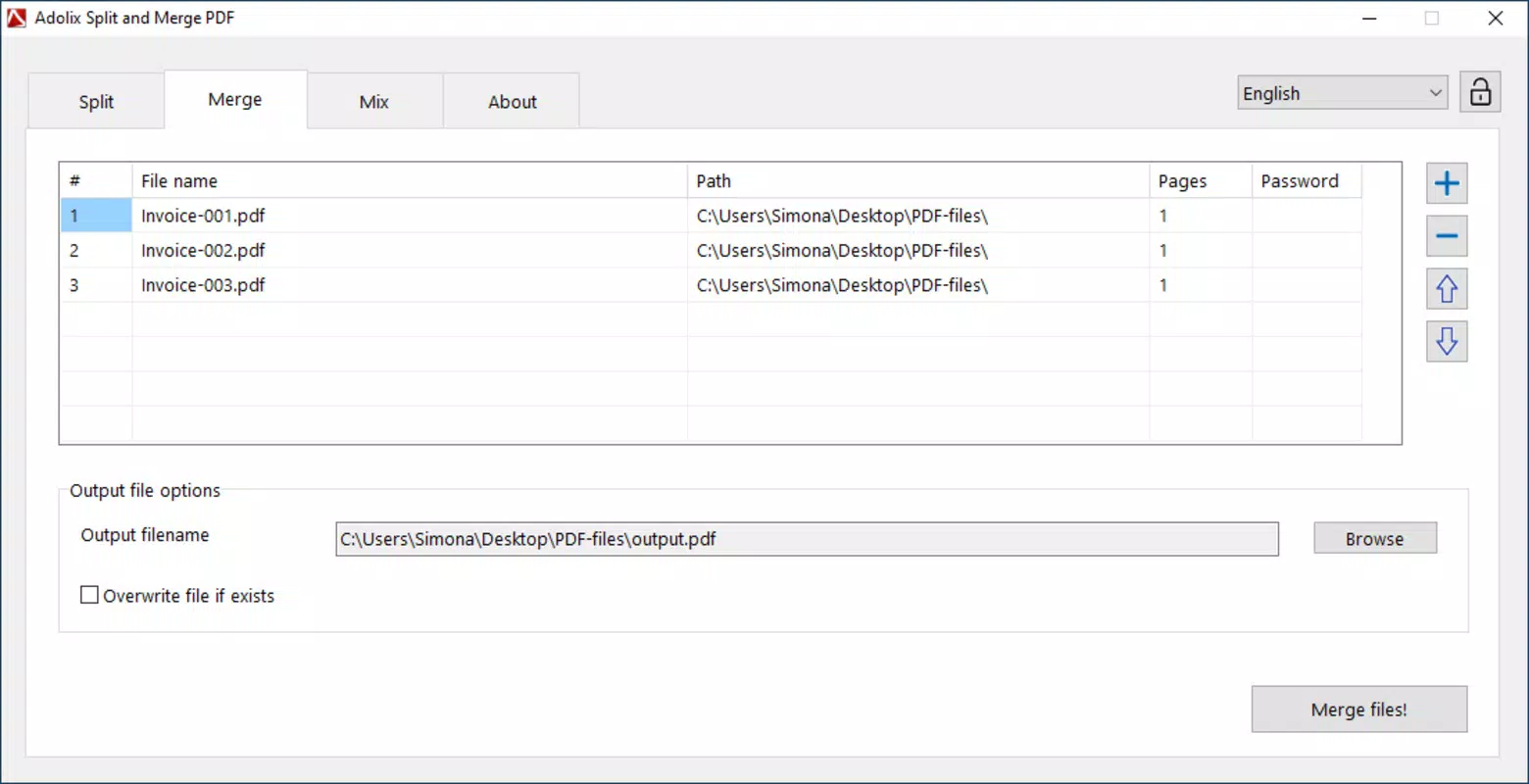
- Merge Up to Five PDFs (Free Version): The free version allows merging up to five files at once, enabling users to consolidate related documents like invoices, receipts, or chapters of a manual into one file.
- Intuitive User Interface: The layout is designed for clarity and ease of use, with minimal navigation steps. Even users with limited technical experience can perform tasks without needing training or tutorials.
- Free Version with Limited Access: A free version is available to test core functionalities, making it accessible for occasional users who want to evaluate the tool before purchasing.
- Upgrade Path to Full License: Users can purchase a license to unlock advanced features such as merging more than five files and enhanced splitting options, supporting higher-volume workflows.
For example, a project manager could split a 50-page proposal into individual sections for team review and later merge all feedback documents into a single response file. A student might extract specific chapters from a textbook PDF for exam preparation. These practical applications highlight the tool’s value in daily document management.
Interface, UX & Performance
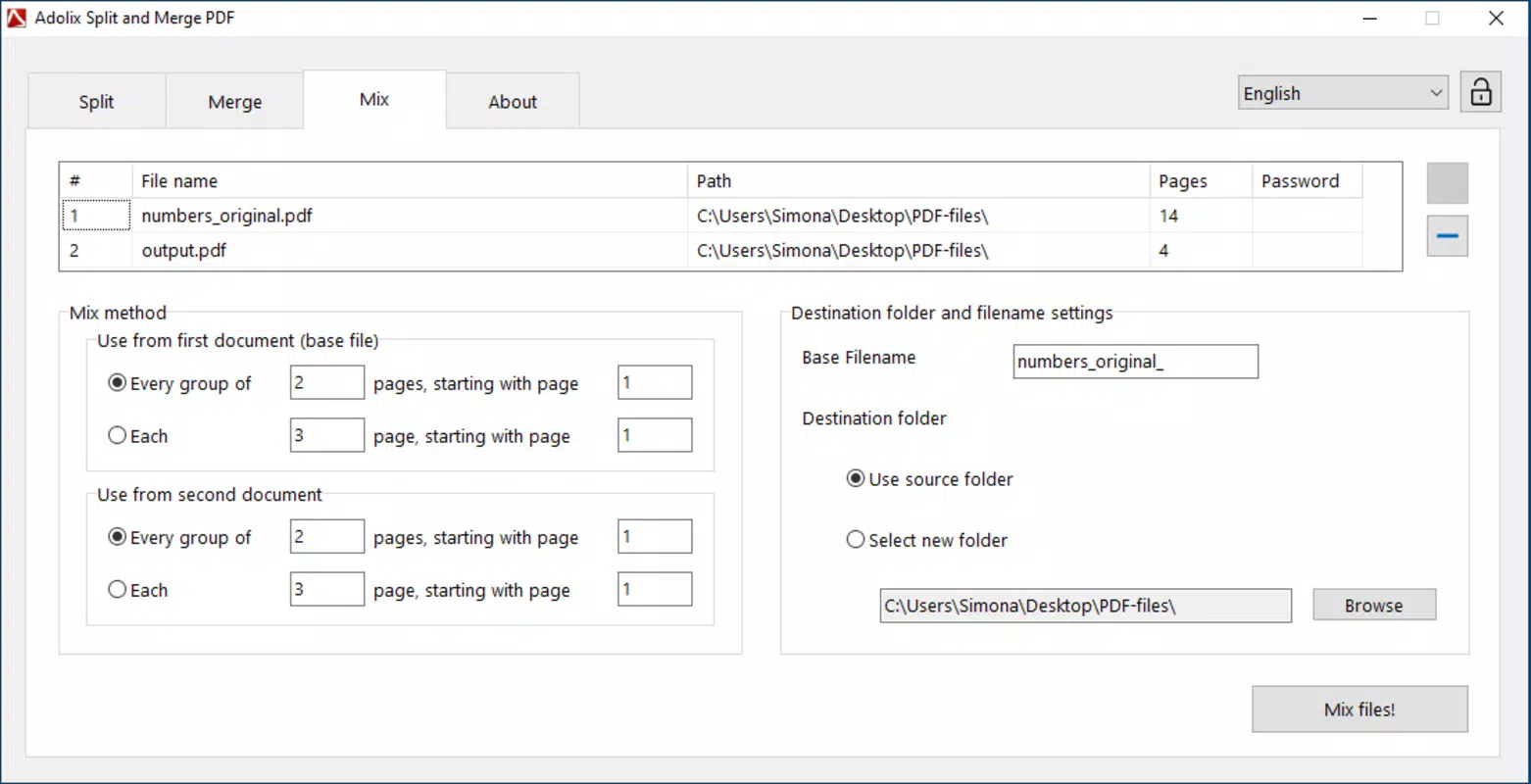
The interface of Adolix Split and Merge PDF is clean, minimal, and focused on core tasks. It uses a straightforward layout with clearly labeled buttons and visual indicators, reducing cognitive load and improving task completion speed. Navigation is linear and predictable—users typically add files, select their desired action (split or merge), and confirm the output location.
Although the developer did not list formal performance metrics, the app operates efficiently on standard Windows systems. It maintains responsiveness during file processing, with minimal lag even when handling moderately sized documents. The user experience is consistent across different device categories, including desktops and laptops, though specific compatibility details were not disclosed.
Stability appears reliable based on the app’s release history and consistent functionality. The software does not display known crashes or errors during typical operations. Users can expect smooth execution when splitting or merging documents, with clear feedback after each action. The absence of intrusive ads or unnecessary pop-ups further enhances the user experience.
Platform Compatibility & Technical Requirements
Adolix Split and Merge PDF is designed for the Windows platform and is compatible with current Windows operating systems. The app requires a standard desktop environment with no special hardware dependencies. The file size is 18.4 MB, making it lightweight and easy to install on most systems.
Specific OS requirements were not listed by the developer. The software version is 2.1.2, released on April 19, 2023. Users should ensure their system meets the baseline requirements for running Windows applications, though exact specifications were not disclosed. The app does not support mobile platforms such as Android or iOS, indicating a desktop-only focus.
Pros and Cons
Pros
- Simple, intuitive interface suitable for non-technical users
- Efficient splitting and merging of PDF files
- Free version available for testing core features
- Lightweight size (18.4 MB) with low system resource usage
- Clear workflow with minimal steps to complete tasks
Cons
- Free version limits merging to five files
- No mobile version available for on-the-go access
- Advanced features require a paid license
- Specific technical requirements were not disclosed
- Platform is limited to Windows only
FAQ
Is Adolix Split and Merge PDF free to use?
Yes, a free version is available with basic functionality. However, it includes limitations such as a maximum of five files for merging and restricted advanced features.
Can I use this app on my Android or iOS device?
Currently, Adolix Split and Merge PDF is only available for Windows. There is no official version for Android or iOS platforms.
What happens after I purchase the full license?
Purchasing the full license unlocks advanced features such as merging more than five PDFs and enhanced splitting options, providing greater flexibility for professional use.
Is the app secure to download and install?
As a desktop utility from a known developer, Adolix Split and Merge PDF is considered secure. It does not require access to sensitive system permissions and is distributed through official channels.
How often is the app updated?
The latest version, 2.1.2, was released on April 19, 2023. While update frequency is not publicly disclosed, the developer maintains a stable release cycle.
Final Thoughts
Adolix Split and Merge PDF delivers a focused, reliable solution for users who need to manage PDF files without the complexity of full-featured editors. Its clean interface, efficient workflows, and accessible free version make it a practical choice for students, professionals, and administrative users. While it lacks mobile support and advanced capabilities in the free tier, the app’s value lies in its simplicity and performance. For those who frequently split or merge PDFs, it offers a secure, lightweight, and effective tool.
Download Adolix Split and Merge PDF now


